
Stop your repetitive coding task
use claude code workflows instead

You find a bug in your code, and almost without thinking, a familiar sequence kicks in. It's a well-worn path: create a new branch, check the error, implement a fix, push the changes, and open a pull request. We've all done it thousands of times.
This sequence isn't just a habit; it's a workflow. It’s a structured process we follow to ensure consistency and quality. As developers, our days are filled with these workflows, whether we're scaffolding a new component, running security audits, or reviewing a teammate's pull request. The problem is that these essential processes are often manual, repetitive, and a constant drain on our focus.
But what if you could take these established patterns and codify them into a single, executable command? I’ve been exploring this with Claude Code’s custom slash commands, and it's fundamentally changing how I approach my development cycle.
The Breakthrough: Workflows as Markdown
What they are: Custom slash commands allow you to define multi-step workflows in plain Markdown files. The filename becomes the command, and the file's content serves as the instruction manual for the AI. You create them once, and they become a permanent part of your toolkit.
You can organize them in two ways:
Project Workflows (.claude/commands/): Stored within your project repository, these commands can be version-controlled and shared with your team, ensuring everyone follows the same playbook.
Personal Workflows (~/.claude/commands/): Located in your home directory, these are your personal shortcuts, available across every project you work on.
Do you like this content?
From Manual Process to Automated Command: The /fix-bug Workflow
To make this concrete, let's look at how I automated the bug-fixing process with a /fix-bug command. I started by creating a file named fix-bug.md:
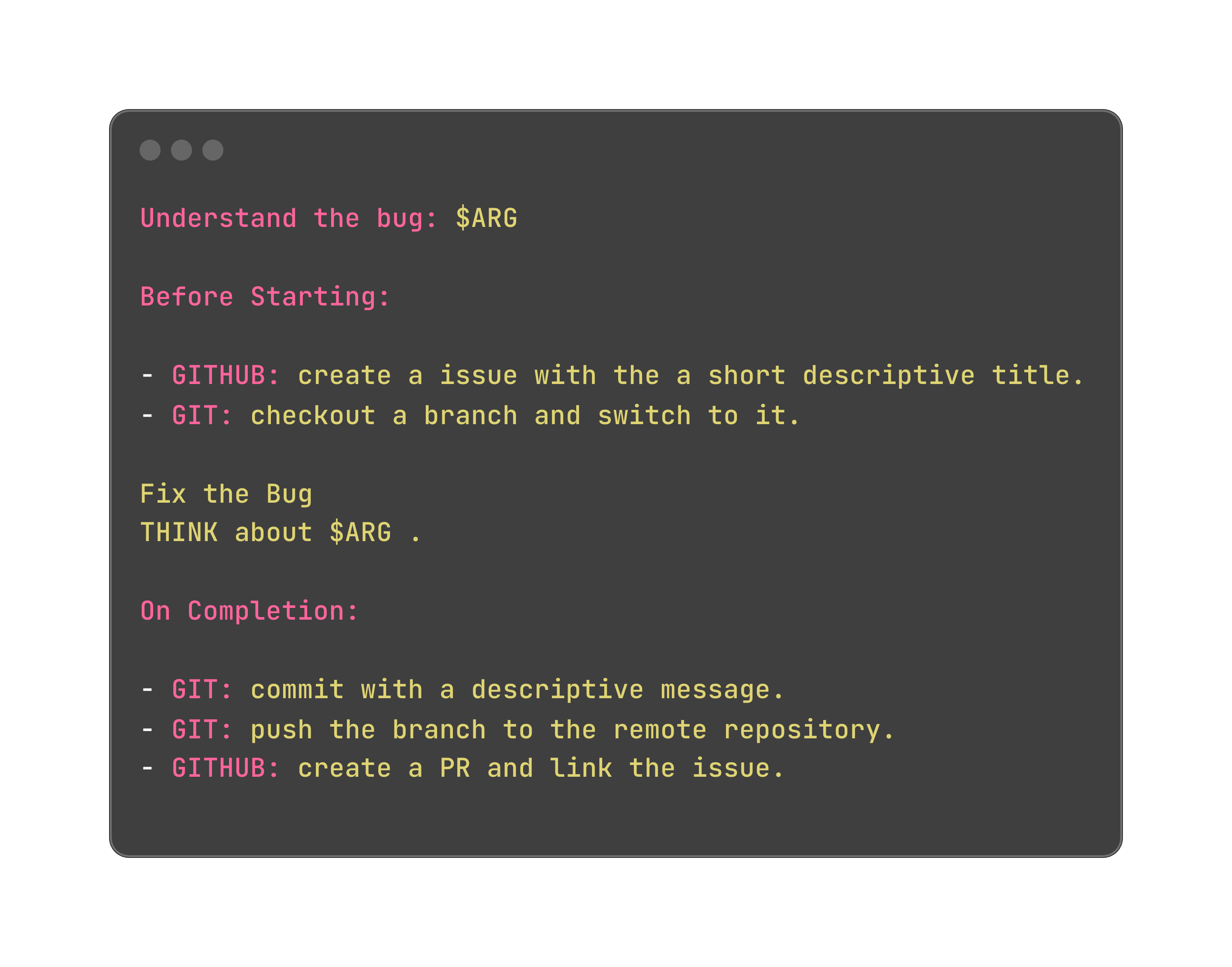
The real magic here is the $ARG placeholder. It allows you to pass dynamic information—like an error message—directly into the workflow when you run the command.
Now, my process is simply:
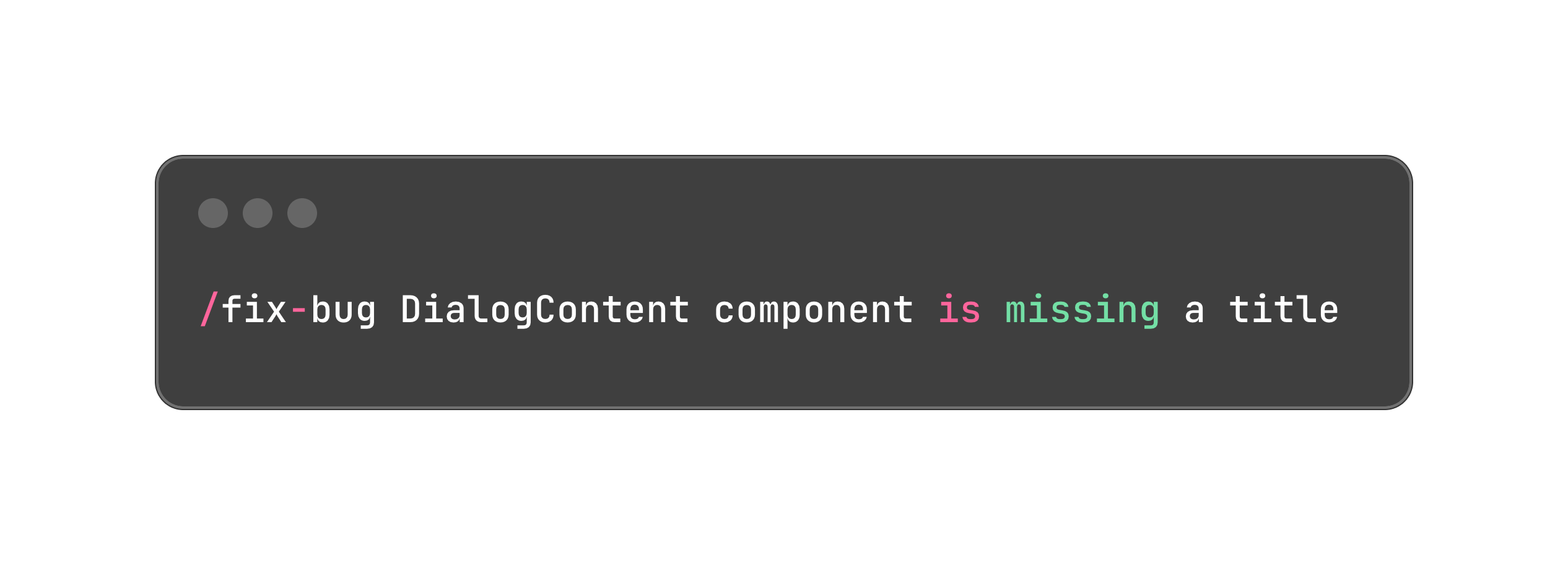
With that one line, Claude executes the entire workflow.
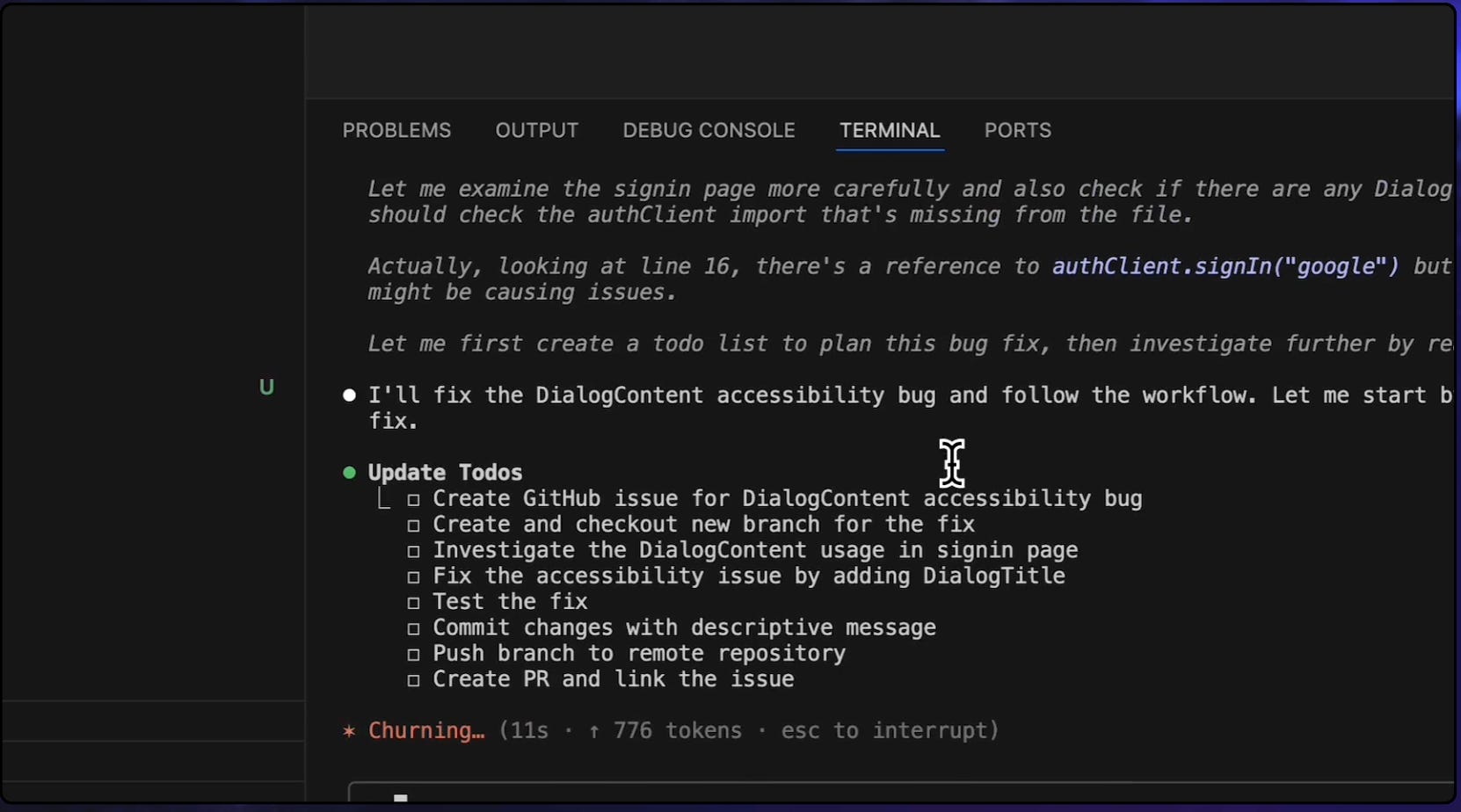
What This Means for Developers
This represents a significant shift in how we can integrate AI into our development practices.
Before: We were constantly copy-pasting code, error messages, and instructions into a chat window for every task.
After: We codify our processes once. These workflows become reusable, version-controlled assets that improve over time.
This is how we move beyond simple AI chat and begin building intelligent, automated systems that are tailored to how we work.
Summary
Your repetitive coding routines are workflows that are prime for automation.
Claude Code’s slash commands let you define these workflows in simple Markdown files.
Use project commands for team standards and personal commands for your individual shortcuts.
Provide dynamic context with $ARG and deep knowledge with documentation files.
Since workflows are only markdown files, we can include them in our version control and work together with our colleagues on these!
The question now isn't if this is useful, but what workflow you'll automate first.
What is the most repetitive task in your daily routine? I'd be curious to hear what you would build in the comments.
If you have a question, join my community:
https://www.skool.com/ai-builders-6997/about?ref=873c5678d6d845feba1c23c6dbccdce3